
A free utility for your Windows PC
Screen Eye Care
Better light. Timely breaks.
Adjust screen warmth automatically, control every display, and remember to take a break when work gets absorbing.
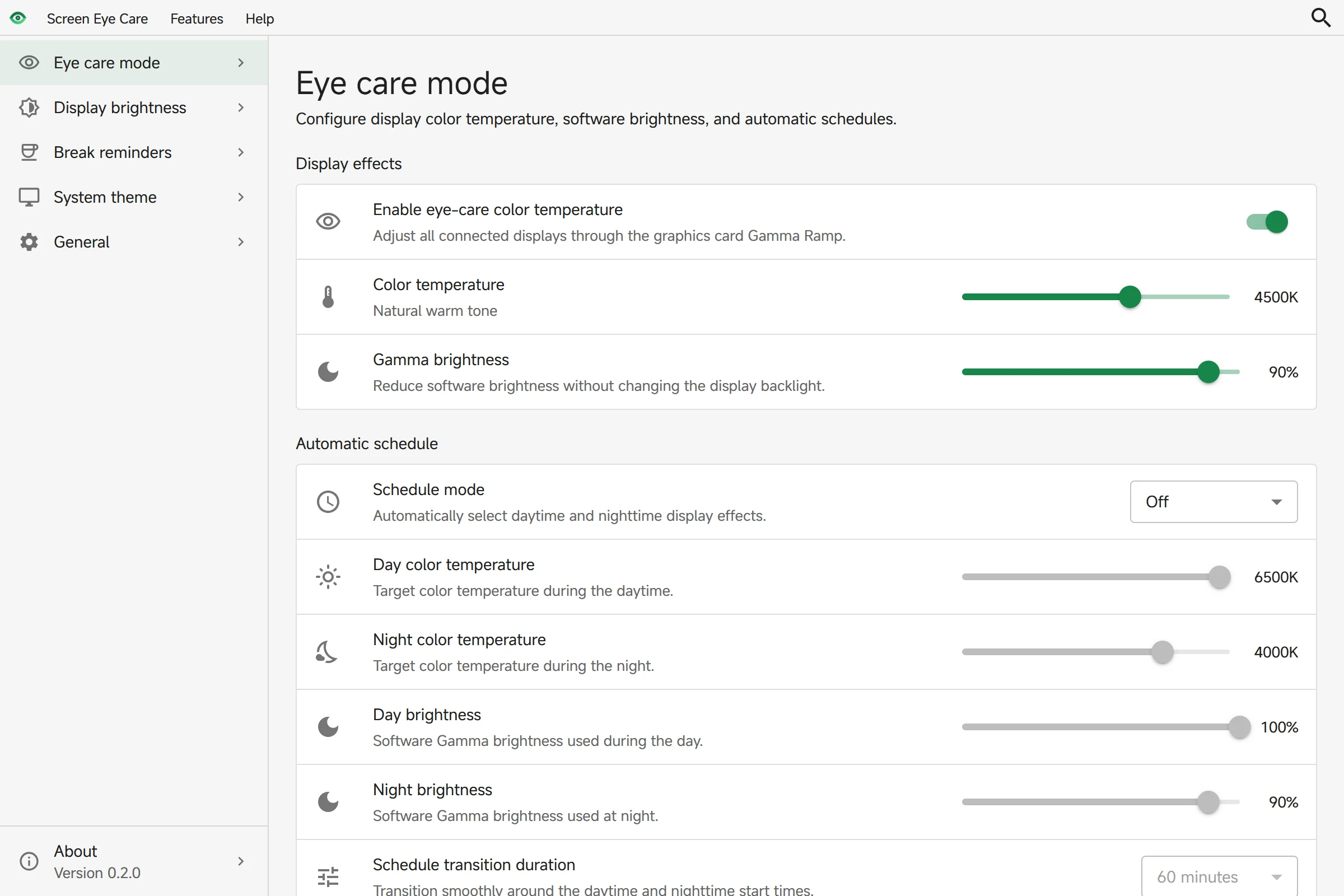
01Automatic day & night settings
As the day changes, so does your screen.
Clear by day, warmer at night. Set your preferred color temperature and brightness, then switch with the sun or on your own schedule.
- Sunrise and sunset, or fixed times
- Color temperature and software brightness together
- Smooth transitions instead of sudden changes
A smooth, scheduled transition
02Smart break reminders
Time for a break. Not an interruption.
Choose your work and break intervals. The timer pauses when you step away, and reminders wait while you present, watch, or play in full screen.
Always putting it off?
Anti-snooze mode allows one delay, then starts a full-screen break that stays until the break is complete.
03Multi-display brightness · Tray controls
Two screens. One place to adjust them.
Open the tray panel to adjust your laptop and external display individually. Color temperature and color filters are right there, too.
- Individual controls for each display
- Compatible DDC/CI monitor support
- Restores settings after display changes and wake
External hardware brightness requires DDC/CI support from the monitor and its connection.
04Windows & app themes
Light with the sunrise. Dark after sunset.
Let your taskbar, Start menu, and compatible apps change appearance with the day. Choose a schedule and keep Screen Eye Care running in the tray.
- Switch at sunrise and sunset, or at fixed times
- Choose Windows and app themes separately in manual mode
- Temporary changes last until the next scheduled switch
Apps must support and be set to follow the Windows system theme.
Is it free? Do I need an account?
It's free to use, with no account required. Install and update it through Microsoft Store.
Which operating systems are supported?
The current package targets Windows 10 version 1809 (build 17763) or later and Windows 11, on x64 systems. There is currently no macOS or Linux release.
Does it work with external displays and HDR?
Color temperature adjustment supports multiple displays. External hardware brightness requires DDC/CI support from the monitor and connection. HDR, protected video, hardware overlays, and some graphics drivers may bypass Gamma adjustments. Results depend on your setup.
Will reminders continue after I close the window?
Yes. Closing the window keeps the app in the tray by default, so adjustments and reminders continue. Exiting through the tray menu attempts to restore the original color temperature and filters, and reports any restoration error.
Does it need internet access or my location?
Everyday adjustments and timers work offline. Searching for a city contacts Open-Meteo; choosing Windows location requests system location permission. You can instead enter coordinates manually or use a fixed-time schedule without a location.
Make your next screen session better.
Install for free. Set your preferences. Get on with your day.
Open Microsoft StoreWindows 10 1809+ / Windows 11 · x64This is a Windows desktop app. Open this page on your PC to install it.